

A book cover may be designed on a large canvas, but that is rarely how readers first see it. On an ebook store, recommendation page, or social feed, the cover is often reduced to a thumbnail. Fine details disappear. What remains is the title, the main subject, the contrast, and a few visual cues that tell readers what kind of book they are looking at.
That makes thumbnail testing one of the simplest ways to judge whether an AI-generated cover is actually doing its job.
Start with genre before decoration
A cover does not need to explain the entire story. It does, however, need to feel appropriate for its category.
Place a fantasy cover next to other fantasy titles and the basic signals should make sense: perhaps a dramatic landscape, a character-focused composition, or a particular color palette. A business book, romance novel, or psychological thriller will rely on a different set of expectations.
This is why a useful prompt should contain more than a plot summary. Genre, mood, and visual direction all help narrow the design before unnecessary details start competing for attention.
With Pixlio’s book cover generator, users can provide a synopsis, choose a genre, define a mood or style, and explore different visual directions. That is useful early in the process, when comparing several concepts is often more valuable than trying to perfect the first result.
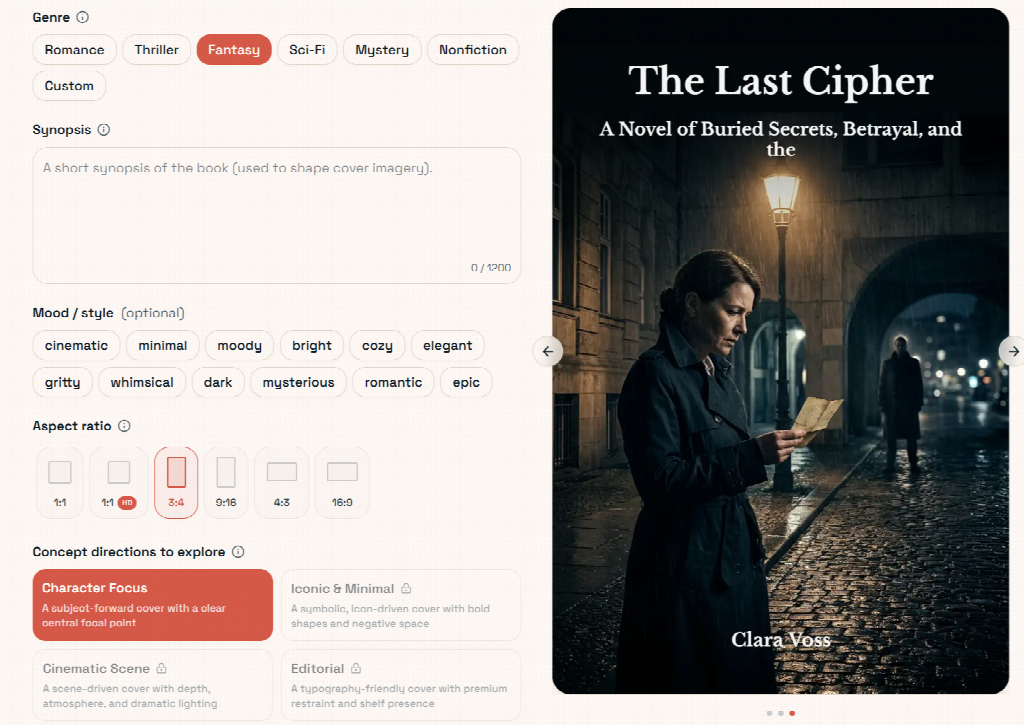
Pixlio lets users combine genre, synopsis, mood, and visual direction to explore more targeted book cover concepts.
Check the cover at the size readers will see
One common mistake is evaluating everything at full resolution.
An image might look impressive when it fills a laptop screen, yet become confusing when reduced. Background objects merge together. Facial details disappear. Decorative elements start competing with the title.
Shrink the design early and ask a few basic questions. Can you still tell what the main subject is? Is the title area clear? Does your eye know where to look first?
Pixlio includes a smaller storefront-style preview alongside the main cover view. That makes it easier to catch weak compositions before spending more time polishing them.
If a cover only works when enlarged, simplifying it is usually more useful than adding detail.
Generate the artwork first, then handle the text
AI image models have improved considerably, but text inside generated artwork can still be unreliable. Lettering may look convincing at first glance while containing malformed characters, strange spacing, or inconsistent type.
For an actual book cover, there is little reason to accept that limitation.
A cleaner workflow is to generate the visual artwork without relying on embedded text, select the strongest composition, and add the real title and author name afterward.
Pixlio separates these steps. After choosing a concept, users can add the title, subtitle, and author information, select font styles, adjust text colors, and use a backdrop when the artwork does not provide enough contrast.
This also makes later changes much less painful. A title revision should not require regenerating the entire cover.
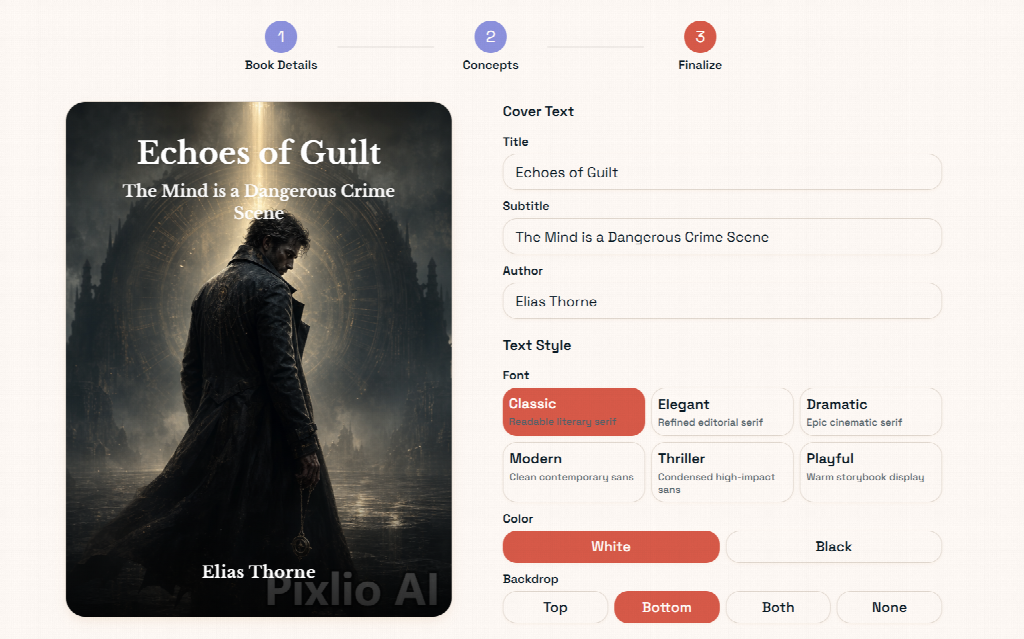
Pixlio keeps the artwork and cover text separate, making titles, fonts, and contrast easier to refine.
Fix specific problems instead of starting over
When an AI-generated cover is almost right, rewriting the entire prompt can be surprisingly inefficient. You may fix one problem and accidentally change three things that were already working.
It is usually better to identify the weak part first.
Maybe the composition is too crowded. Perhaps the colors feel too cheerful for a thriller. The central image might work, but there is no clean space for a title.
Pixlio provides guided refinement options for areas such as layout, palette, atmosphere, and hierarchy, while still allowing custom instructions. That makes the editing process closer to giving design feedback than repeatedly rolling the dice on a completely new generation.
This is where an AI book cover maker is most useful: not as a substitute for design judgment, but as a faster way to explore and refine different visual ideas.
Before exporting, view the cover large and small. Make sure the title is easy to read, the subject remains clear, and the genre still comes through at a glance.
If those basics survive thumbnail size, the cover is far more likely to work where readers will actually encounter it.