
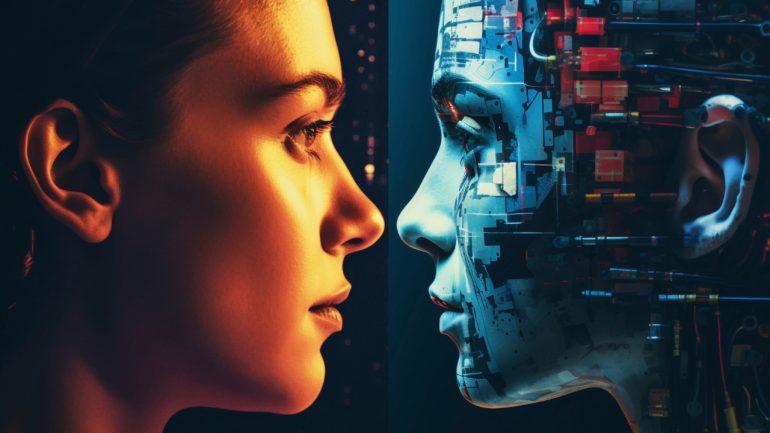
We have all been there: a prompt generates a stunning, photorealistic first frame. The lighting is cinematic, the character design is flawless, and for a split second, it feels like the future of filmmaking has arrived. Then, you hit “generate video.” Within two seconds, the character’s left arm dissolves into a tree branch, the background mountains begin to ripple like water, and the protagonist’s eyes slowly migrate toward their ears.
This is the “Uncanny Valley of Motion.” While static image generation has largely solved the problem of aesthetic fidelity, generative video is still fighting a war against physics. For indie makers and content teams, evaluating an AI Video Generator based on a landing page’s cherry-picked demo is a recipe for wasted credits and production delays. To find a tool that actually works in a professional pipeline, we have to move past feature lists and conduct what I call a “Motion Logic Audit.”
Moving Beyond the ‘Good Frame’ Delusion
The industry currently suffers from a “good frame” bias. Most reviews of generative tools focus on the quality of a single exported PNG. However, in video, a high-fidelity image is irrelevant if the temporal coherence is broken. Temporal coherence refers to the consistency of pixels from one frame to the next. When this fails, you get “flickering” or “boiling”—that distracting shimmering effect where the AI recalculates textures 24 times a second without a shared memory of what the previous frame looked like.
A professional-grade AI Video Generator isn’t just one that makes pretty pictures; it’s one that maintains “Motion Logic.” This is the primary benchmark for usability. If a character is wearing a watch in frame one, that watch needs to exist in frame one hundred. If the camera pans right, the parallax of the background objects must follow the rules of three-dimensional space. Most tools today still struggle with this fundamental requirement, often treating video as a series of loosely related images rather than a continuous physical event.
Stress-Testing Temporal Logic and Physical Continuity
When testing a new model, ignore the “Cinematic” or “Masterpiece” prompts suggested by the interface. Those are designed to hide flaws. To truly understand a model’s capabilities, you need to stress-test its understanding of physics through three specific benchmarks:
The Rotation Test
Ask the AI to show a character performing a full 360-degree turn. This is the ultimate test of three-dimensional consistency. Most lower-tier models will “morph” the character’s face as they turn, essentially regenerating a new person once the back of the head is no longer visible. A model with strong spatial logic will maintain the character’s facial structure and clothing details throughout the entire rotation.
The Gravity and Momentum Test
Prompt for an action involving weight—a heavy ball being dropped into sand, or a person jumping and landing. Observe the “impact” frame. Does the AI understand that the object should accelerate? Does the sand react to the force? Many models simply “slide” objects across the screen, ignoring the laws of momentum. If the movement feels weightless or floaty, it will never pass for professional footage, no matter how high the resolution is.
The Prompt Drift Check
Identify where “Prompt Drift” occurs. This happens when the model begins to lose the core attributes of your prompt halfway through the clip. If you prompt for a “man in a red jacket walking through a blue neon city,” and by second four the jacket is purple or the city is daylight, the model’s context window for motion is too narrow for long-form storytelling.
The Workflow Friction Cost: Unified Platforms vs. Tool Chains
For a solo creator, the technical quality of the output is only half the battle. The other half is the “latency of creation”—the time it takes to go from an idea to a finished asset. The current landscape is fragmented. You might use one tool for the initial image, another to animate it, and a third to upsample the result. This jumping between disparate UIs creates a massive cognitive load and breaks the creative flow.
This is where integrated environments like MakeShot change the equation. Instead of forcing a creator to manage five different subscriptions and browser tabs, the AI Video Generator platform centralizes access to top-tier models like Veo, Sora, and Kling.
The practical benefit here isn’t just convenience; it’s the ability to conduct side-by-side comparisons in real-time. If you are struggling with a specific motion—say, a complex liquid simulation—you can run the same prompt through three different architectures within the same dashboard. This reduces the “friction cost” of trial and error, which is the single biggest hidden expense in AI production today. However, it is important to note that even with a unified interface, the underlying models still carry their own inherent biases and quirks that no platform can fully mask.
Prompting Paradox: When Direct Control Becomes a Liability
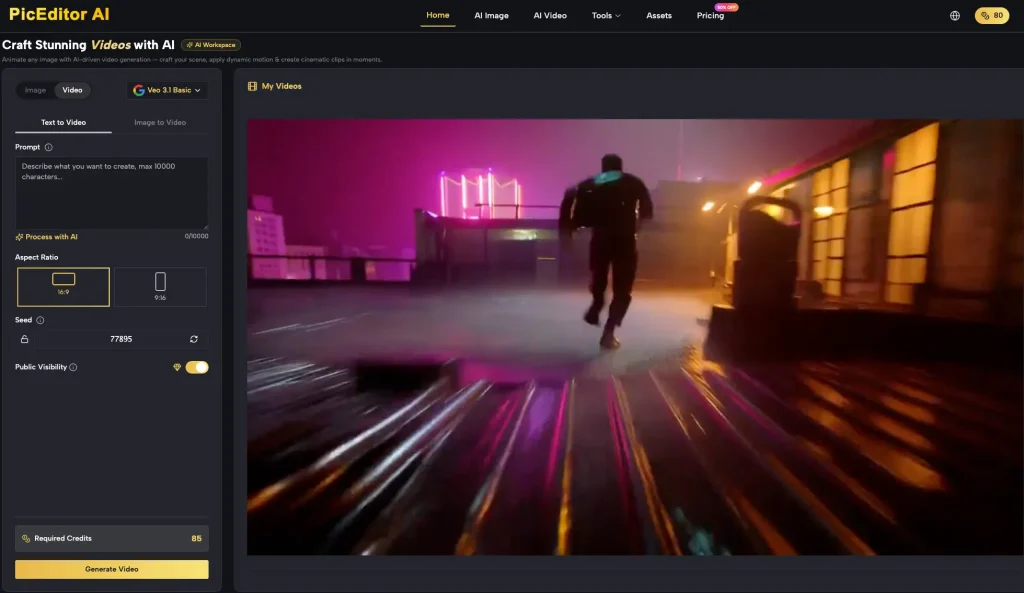
There is a growing realization among power users that “over-prompting” can actually degrade the quality of motion. When you give an AI Video Generator too many specific instructions regarding camera angles, lighting, and minute physical movements, you often conflict with the model’s internal training on how those elements naturally interact.
The goal is to find the “semantic sweet spot.” This is the point where the AI understands your nouns (the objects) and your verbs (the actions) without hallucinating extra limbs or distorted environments.
One area where nearly all current tools fail is the “Negative Constraint” problem. It is notoriously difficult to tell an AI not to do something. If you prompt “a man walking, no cars in the background,” the model often fixates on the word “cars” and generates a traffic jam. Learning which tools handle “Semantic Adherence”—the actual understanding of language rather than just keyword matching—is a critical part of the audit process.
The Predictive Gap: Where Benchmarking Hits a Wall
Despite our best efforts to categorize these tools, we must acknowledge a significant degree of uncertainty. Currently, there are no industry-standard “Motion Benchmarks” equivalent to what we have in the LLM space (like MMLU scores). We are essentially in the “Wild West” phase of evaluation, where “vibes” and personal testing are the only reliable metrics.
We also cannot say with certainty whether Transformer-based architectures or Diffusion-based architectures will eventually win the consistency race. Each has trade-offs. Transformers tend to be better at long-range temporal consistency but can be computationally expensive and prone to “soft” textures. Diffusion models often produce higher immediate visual fidelity but struggle with keeping objects stable over long durations.
Furthermore, the volatility of model updates is a constant risk. A tool that produces perfect 4-second clips today might receive a “safety” or “optimization” update tomorrow that inadvertently neuters its creative flexibility or introduces new motion artifacts. As an operator, you must accept that your favorite tool today might be deprecated within three months.
Establishing a Personal Benchmarking Protocol
To stay ahead of the curve, every creator should maintain a “Control Prompt” library. This is a set of 5-10 prompts that cover different technical challenges: a close-up of a face talking, a wide shot of a landscape with moving water, a fast-action sports shot, and a complex 3D camera move.
When a new AI Video Generator or model update is released, run your control library through it immediately. Don’t look at the best result; look at the average result.
Finally, prioritize “Editability” over “Aesthetic.” If a model produces a gorgeous clip but ignores your camera direction, it’s a dead end for narrative work. The most valuable tool in your kit isn’t necessarily the one that makes the “best” video, but the one that most consistently follows your direction with the least amount of manual correction. In the world of generative media, predictability is the ultimate luxury.